
QQPK Poker Multi-Platform Download
Supports Windows, Mac, and iOS/Android mobile versions,
so you can face off against top players worldwide anytime and experience the fairest poker competition.
Windows Desktop Version
Supports Windows 10/11 and delivers the most stable, smooth gameplay experience, optimized for multi-tabling.
Download Installation
Click the button above to download the installer (about 50 MB). Once downloaded, double-click to run the .exe file. If Windows Defender displays a warning, click "More info" and then "Run anyway."
Start Playing
After installation, open QQPK from your desktop and log in to start playing. Don’t have an account yet? Click "Register now" on the login screen.
macOS Desktop Version
Supports macOS 10.14 or later, compatible with Intel and Apple Silicon. Download the .dmg installer.
Download Installation
Click the button above to download. After you receive the .dmg file, double-click to open it, then drag the QQPK app icon into the Applications folder.
Authorize Launch
If a security prompt appears the first time you open it, go to "System Preferences" → "Security Privacy" and click "Open Anyway."
iOS Mobile Version
Supports iOS 12.0 or later, compatible with iPhone and iPad. After installation, you must complete the [Trust Enterprise Developer] setting.
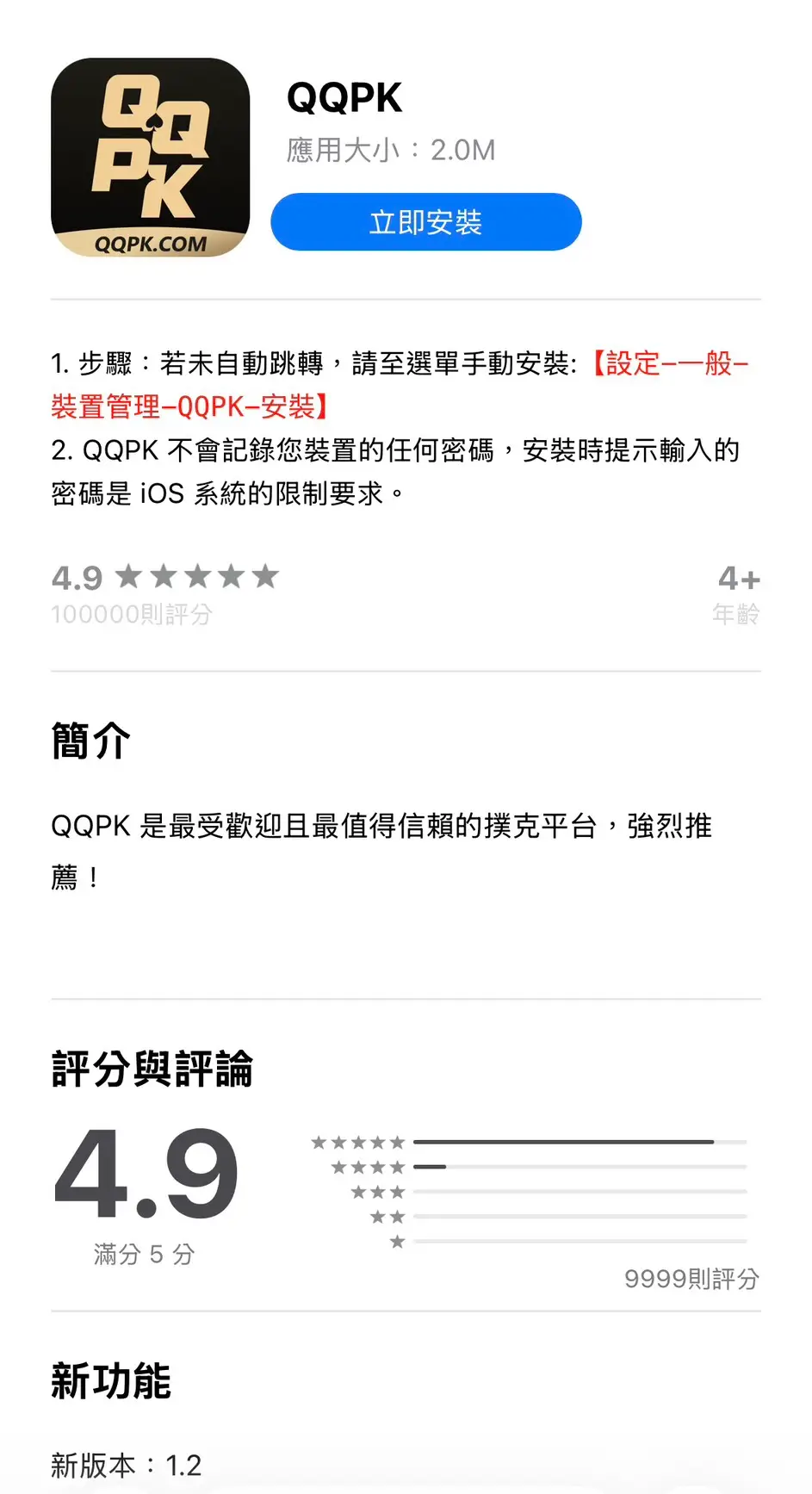
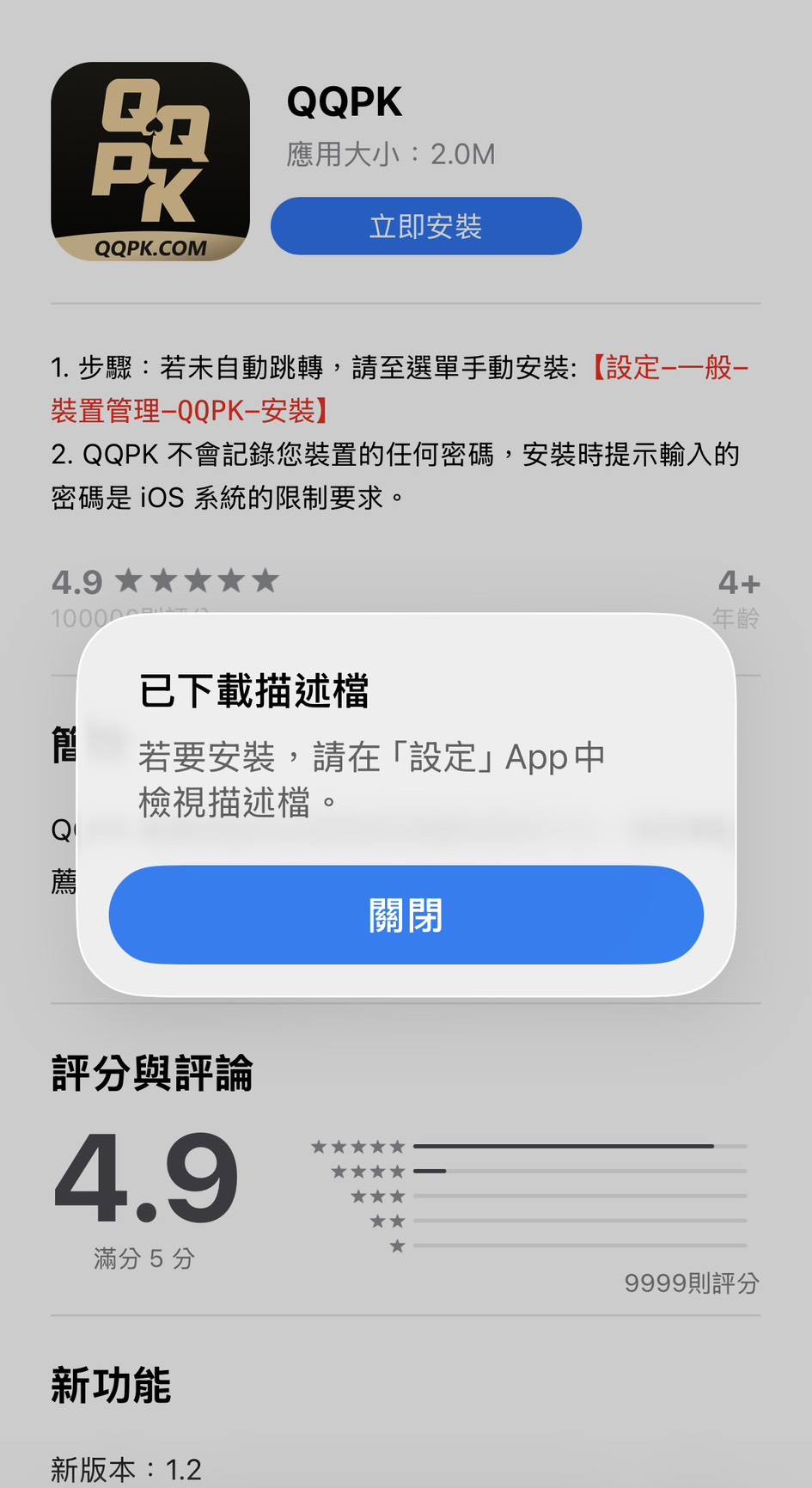
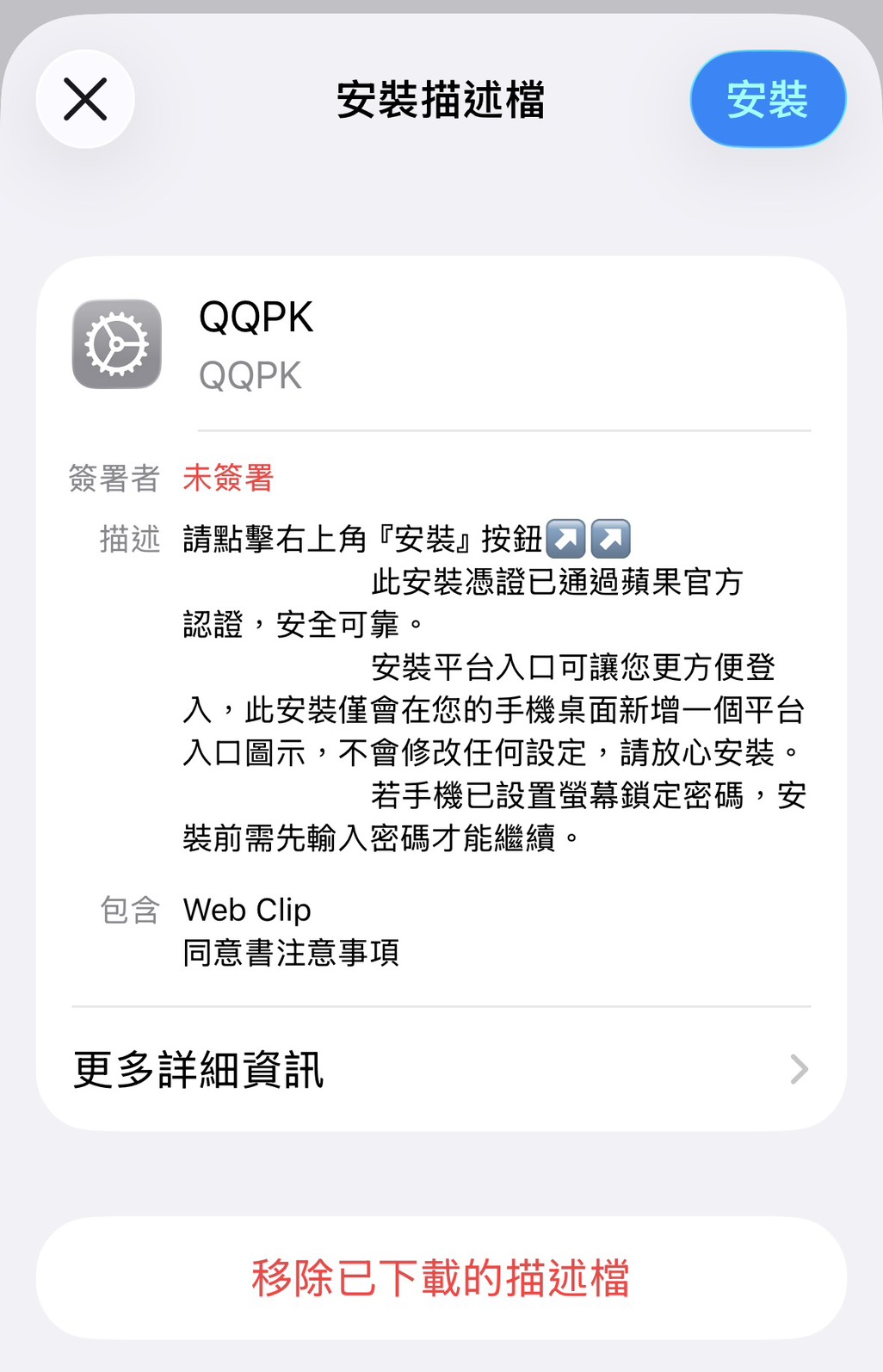
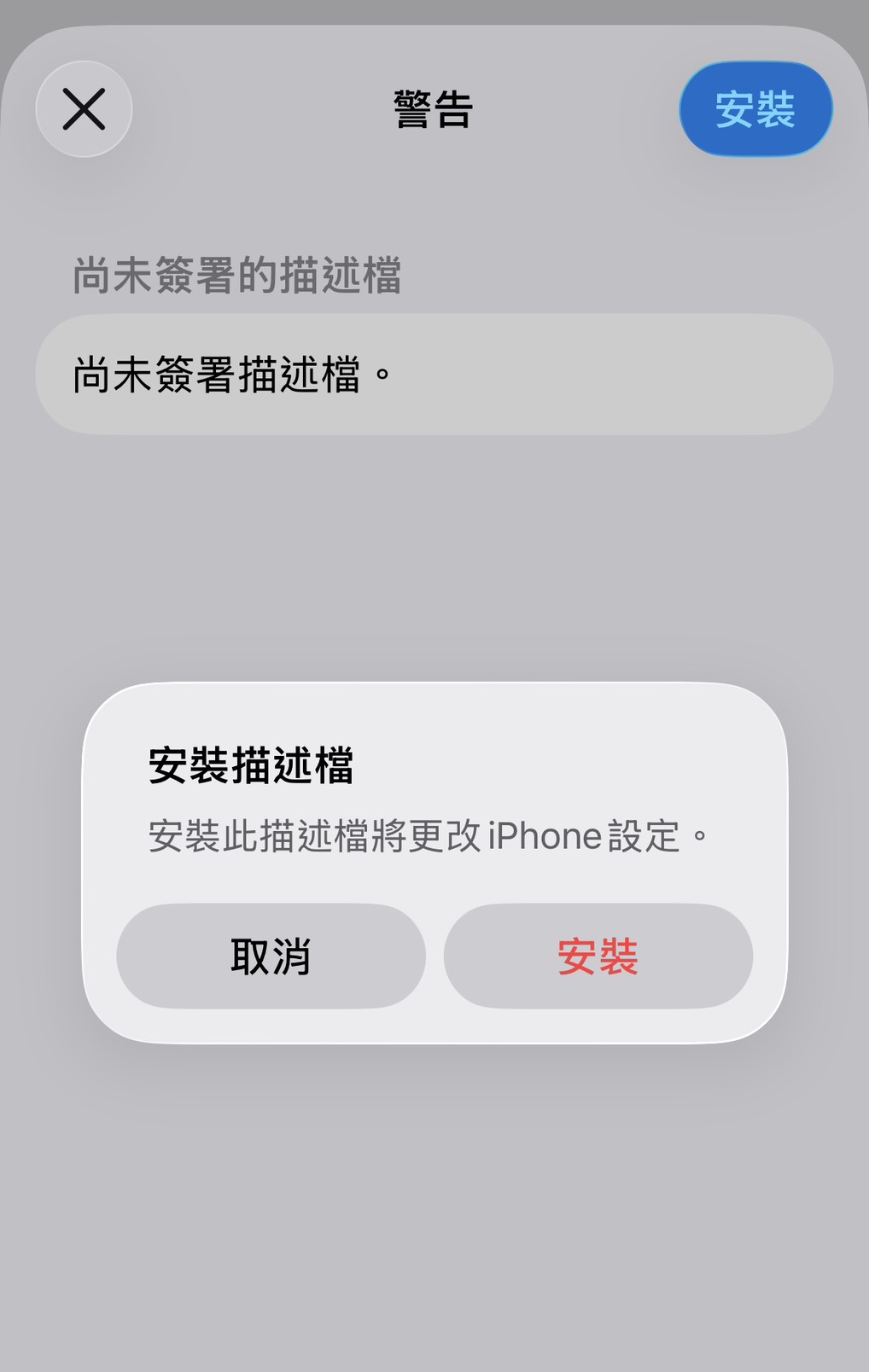
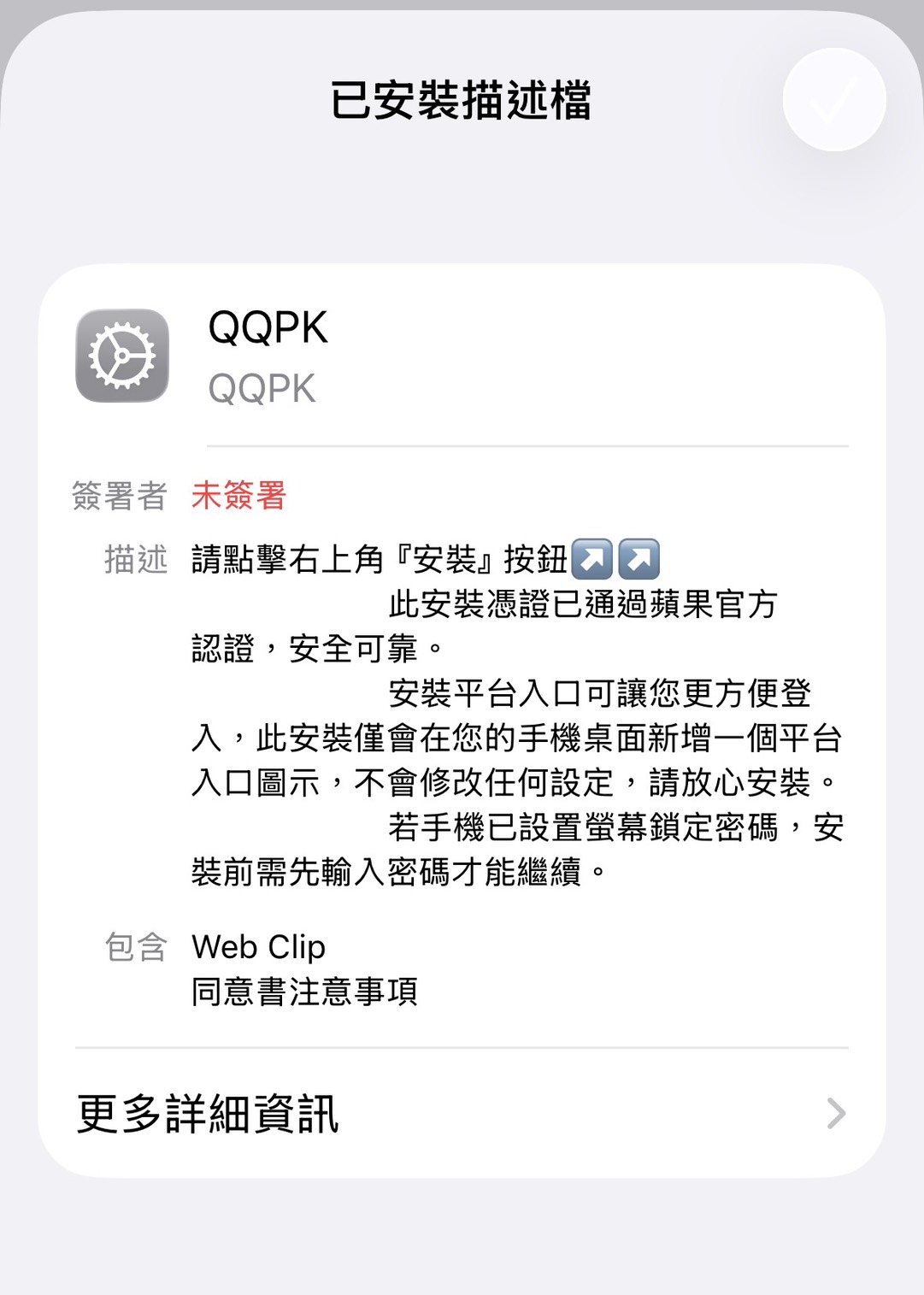
Without setting trust, you will see "Untrusted Enterprise Developer" and will not be able to open the game.
Android Mobile Version
Supports Android 6.0 or later, so you can enjoy QQPK anytime, anywhere. (About 45 MB)
Download Allow Unknown Sources
Click the button above to download the APK. If prompted by the system, go to "Settings" → "Security" and allow "Install unknown apps."
Install Launch
Tap the downloaded APK from the notification bar or your folder to install. If permissions are requested during installation, tap "Allow."
FAQ
Unable to open the iOS app and seeing "Untrusted Developer"?
Please confirm you have completed the “Trust Certificate” setup steps:
1. Go to “Settings” → “General”
2. Select “VPN Device Management”
3. Tap the developer name
4. Tap the “Trust” button
Unable to install the APK on Android?
Please confirm you have enabled “Allow installation of apps from unknown sources”:
1. Open “Settings”
2. Select “Security” or “Privacy”
3. Find “Install unknown apps” or “Unknown sources”
4. Allow your browser or file manager to install apps
Can I use the same account on multiple devices?
Yes. You can log in to the same QQPK account on multiple devices, but you can only play on one device at a time.
What system versions are required?
- Windows: Windows 10 or later
- macOS: macOS 10.14 or later
- iOS: iOS 12.0 or later
- Android: Android 6.0 or later
Join Us and Start Competing
Download the game now and join Asia’s leading poker platform experience.
Responsible Gaming: For adults aged 18+ only. Please gamble responsibly and within your means.